Vizspect + Writespect + Taskspect + Slotted
Draw the figures.
Write the document.
Plan the work.
- Vizspect connects your AI assistant to Microsoft Visio for technical drawings.
- Writespect connects your AI assistant to Microsoft Word for drafting and editing.
- Taskspect brings projects, timelines, and each workday into one visual workspace.
- Slotted turns your Things 3 tasks into a time-blocked plan for the day.
Products
Tools for the work in front of you.
Choose Vizspect for technical drawings in Microsoft Visio, Writespect for drafting and revising in Microsoft Word, Taskspect for visual task planning, or Slotted for time blocking with Things 3.

AI connector for Microsoft Visio
Vizspect™
Connect the AI assistant you already use to Microsoft Visio to create and check patent figures and other technical drawings.
Explore Vizspect →
AI connector for Microsoft Word
Writespect™
Connect the AI assistant you already use to Microsoft Word to draft, revise, review, and compare documents with tracked changes, comments, snapshots, and undo protection.
Explore Writespect →
Visual task management
Taskspect™
Organize, plan across time, and schedule your day through three synchronized views: Task, Timeline, and Timebox.
Explore Taskspect →
Time blocking for Things 3
Slotted™
Plan your day on a visual timeline by dragging your Things 3 tasks onto a schedule grid. A native macOS companion that reads your tasks and never changes them.
Explore Slotted →Vizspect + Writespect
Work on the document and drawings together.
Writespect works with the document in Word. Vizspect works with the drawings in Visio. A compatible assistant can use both, so the written content and technical drawings can be developed and reviewed in the same working context.
Compatible AI assistants
Vizspect and Writespect connect Claude Code, Claude Desktop, Cowork, ChatGPT Work, ChatGPT Codex, and other MCP-enabled AI assistants to Microsoft Word and Microsoft Visio.
Writespect
Read, draft, revise, compare, comment, and recover in Microsoft Word.
Your assistant
The context and reasoning stay in the assistant you already use.
Vizspect
Create, inspect, revise, render, and lint real Microsoft Visio drawings.
Taskspect
See your tasks from every angle.
Organize projects, plan across time, and schedule each workday in a visual workspace with Task, Timeline, and Timebox views.
Explore Taskspect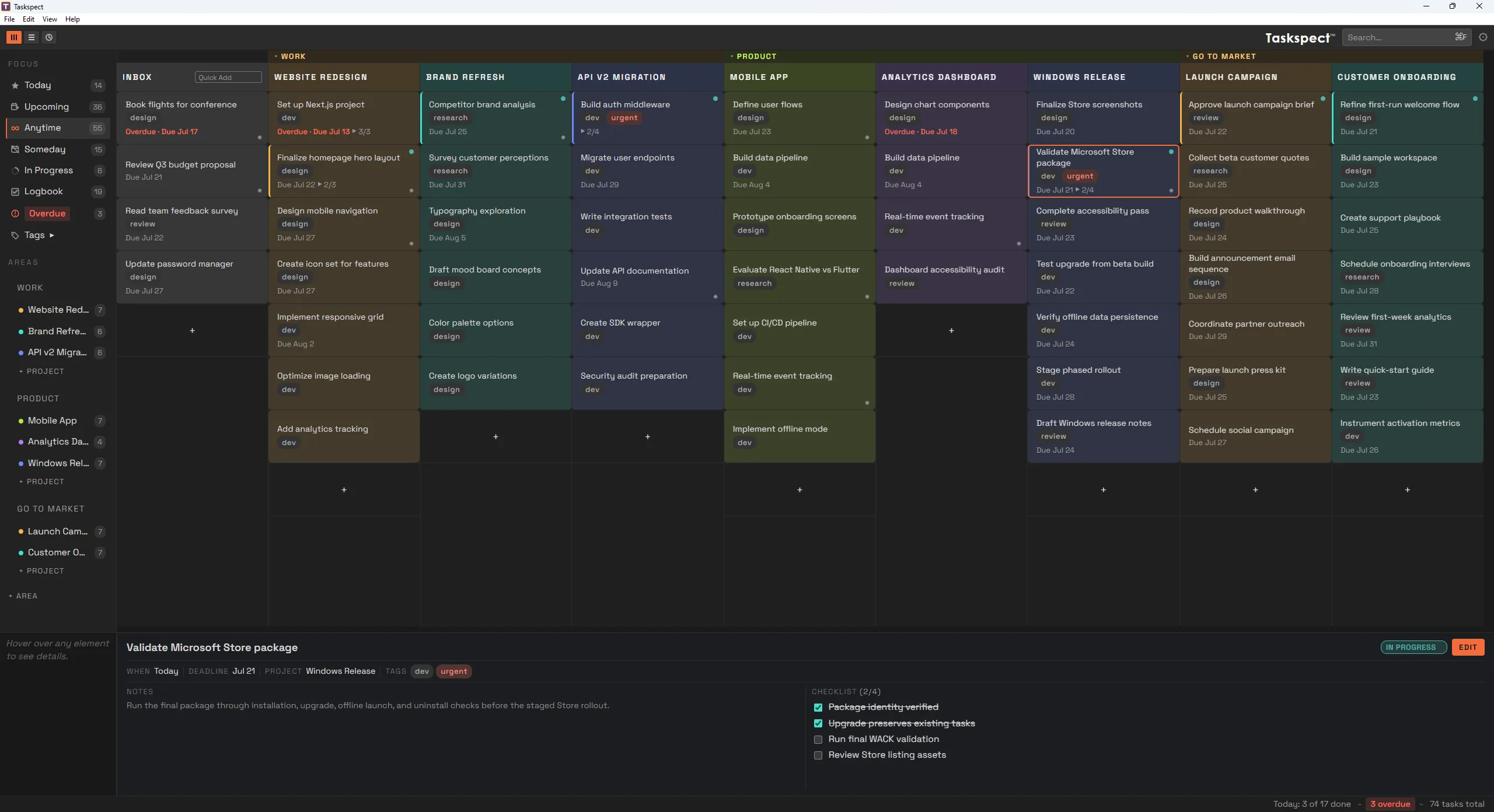
Explore the products.
Start with the product that fits your work, or combine Writespect and Vizspect when your document and drawings share the same context.